Home Office Ergonomics for Remote Workers: A Setup That Protects Your Back
- Primary Signal: Home Office Ergonomics for Remote Workers: A Setup That Protects Your Back
- Overview: Remote workers sit for eight hours a day in setups never designed for it. These ergonomic fixes, from chair height to monitor position, prevent the pain that creeps up slowly....
- Verification: Analyzed and compiled by FreeSky Remote editorial monitoring desk.
Back and neck pain in remote workers usually traces to two causes: a chair that does not support the lower back and a screen positioned too low, forcing the head forward for hours. Start with chair height so your feet rest flat on the floor with knees near ninety degrees, using a footrest if the desk is too tall, and adjust lumbar support to fill the curve of your lower back rather than leaving it hollow. Your desk should let your forearms rest roughly horizontal with shoulders relaxed, not hunched or reaching, and if your desk is fixed at the wrong height, a keyboard tray or a monitor riser is cheaper than a new desk.
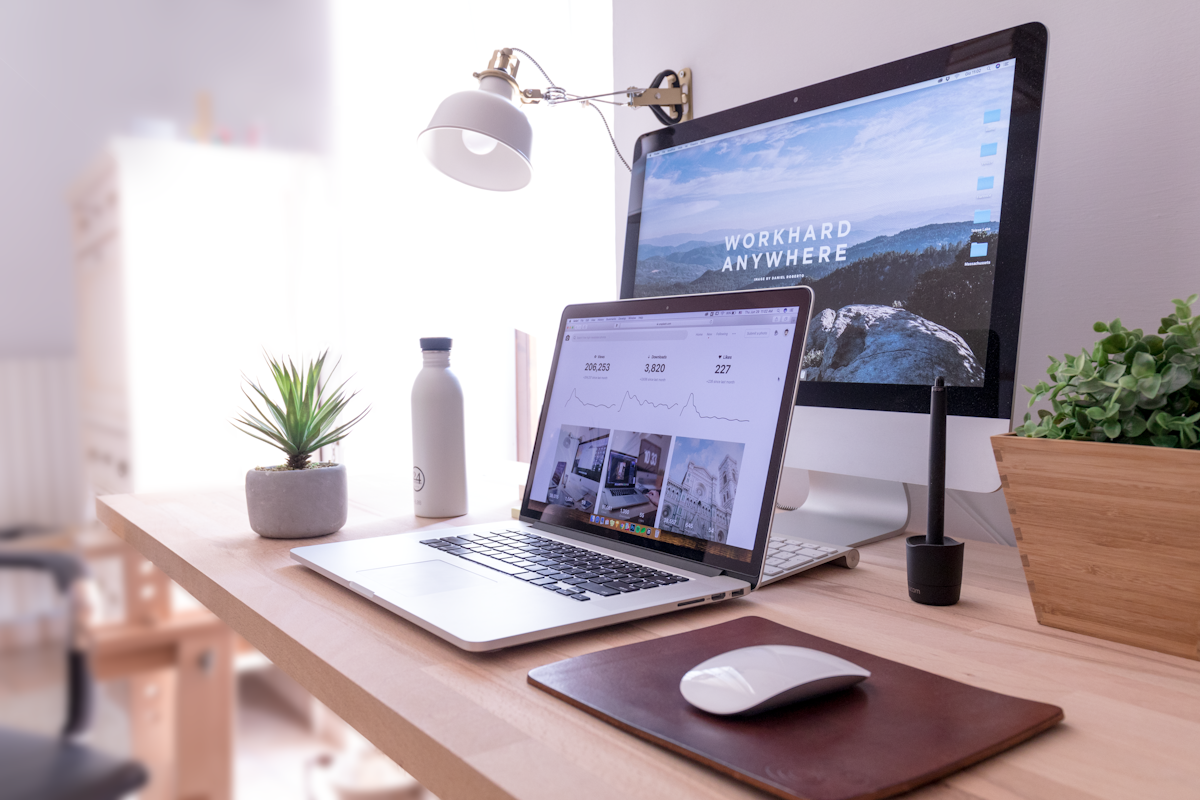
A laptop alone is the worst common setup, because its screen and keyboard are joined, forcing you to choose between neck strain and wrist strain. The single most effective upgrade is an external monitor or a laptop stand plus a separate keyboard and mouse, which lets you raise the screen to eye level while keeping your hands in a neutral position. This one change resolves a large share of remote-work discomfort, and it costs far less than physiotherapy after the fact.
Position your main monitor directly in front of you, about an arm's length away, with the top of the screen at or slightly below eye level, so your gaze falls naturally downward by about fifteen degrees. If you use two monitors, place the primary one centrally and the secondary beside it at the same height, and avoid twisting your neck to a side screen for hours. Reduce glare by placing the monitor perpendicular to windows rather than facing them, and match screen brightness to the room so your eyes are not fighting a glowing rectangle in a dark space.
The 20-20-20 rule is a useful minimum for eye comfort: every twenty minutes, look at something twenty feet away for twenty seconds. More important is movement: stand, walk, and stretch at least once an hour, because no chair, however expensive, makes eight unbroken hours of sitting healthy. A sit-stand desk helps if you actually alternate, but a cheap timer reminding you to move delivers most of the benefit, and short walks between meetings do more for your back than any single piece of equipment.
Beyond the basics, a few modest purchases pay off quickly: a supportive chair cushion if your chair lacks lumbar adjustment, a mouse that fits your hand size rather than the smallest available, and a headset that frees you from cradling a phone against your shoulder during calls. Keep frequently used items within easy reach to avoid repeated twisting, and arrange cables so they do not pull devices toward the desk edge or force awkward postures.
Treat ergonomics as maintenance, not a one-time purchase: reassess your setup whenever you change desks, chairs, or monitors, and pay attention to early warning signs such as morning stiffness, tingling fingers, or headaches after long calls, which are your body asking for an adjustment before a small problem becomes a chronic one. Remote work gives you control over your environment that office workers lack, and using that control well is one of the quiet advantages of working from home.
Finally, remember that ergonomics includes your mental environment as much as your physical one: a workspace you enjoy sitting in, with natural light, a plant, and a clear boundary between work and leisure, makes healthy habits easier to keep. If your desk doubles as a dining table, a simple ritual, such as packing work equipment away at day's end, protects both your posture and your evenings. The goal is not a perfect, expensive setup but a sustainable one, a space where eight hours of focused work leaves you tired in a normal way, not in pain, and ready to return tomorrow.
📖 Continue Reading the Full Story
Continue reading this article on FreeSky Remote.
⚡ Access Full Content NowMore from FreeSky Remote



 🤖 WinBar AI
Decision-Making Framework: GST Calculator — Add or Extract GST & VAT (Day 28 Guide)
How data from our GST Calculator — Add or Extract GST & VAT on WinBar AI. Discover essential eliminates bias, ...
☁️ FreeSky Cloud
Comparative Review: Freelancer Net Pay Calculator (PKR) — Upwork, Fiverr & Payoneer Fees (Day 11 Guide)
Why our free online Freelancer Net Pay Calculator (PKR) — Upwork, Fiverr & Payoneer Fees on FreeSky Cloud. Dis...
🛰️ FreeSky Aerial
Troubleshooting Guide: Freelancer Net Pay Calculator (PKR) — Upwork, Fiverr & Payoneer Fees (Day 12 Guide)
Diagnosing hidden issues using the Freelancer Net Pay Calculator (PKR) — Upwork, Fiverr & Payoneer Fees on Fre...
 🔭 FreeSky Cosmos
Pro Tips & Tricks: Freelancer Net Pay Calculator (PKR) — Upwork, Fiverr & Payoneer Fees (Day 13 Guide)
How professionals get 10x value from the Freelancer Net Pay Calculator (PKR) — Upwork, Fiverr & Payoneer Fees ...